Tutorial: How Does the Raysync File Sync Function Work?
November 12, 2025.png)
File synchronization (file sync) is a method of keeping files that are stored in several different physical locations up to date.
File synchronization software is used to store copies of on-premises data to another device or to the cloud. The files are typically available to be accessed via a Web-based portal.
In this article, we will guide you on how to sync file via the Raysync user portal.
-
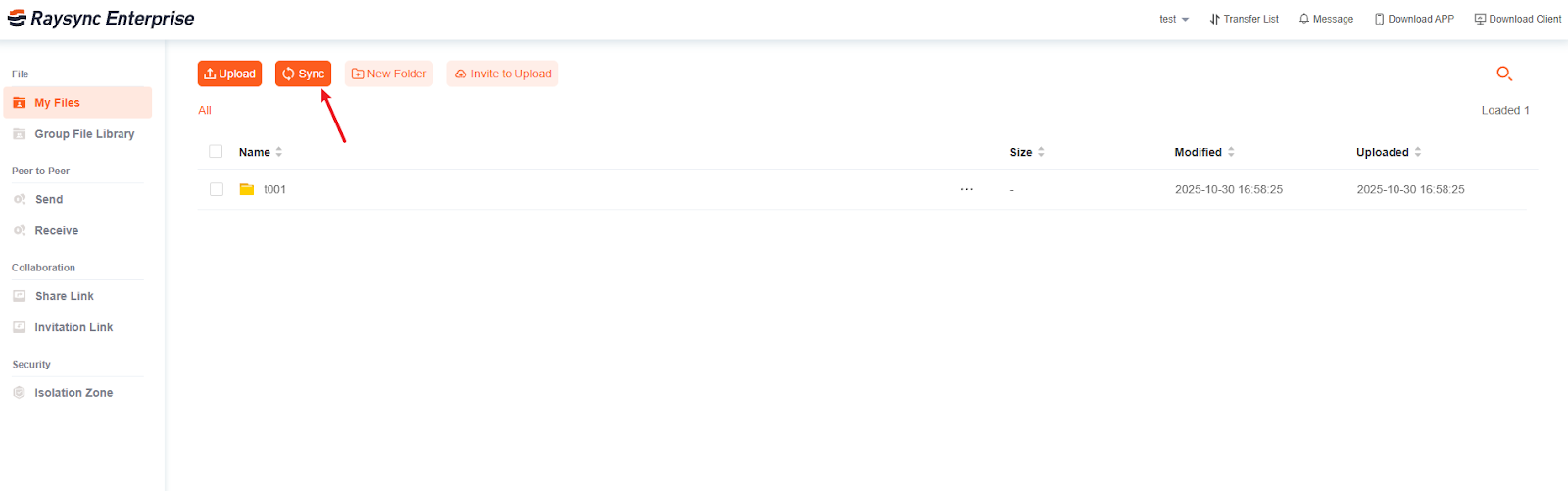
Click the "Sync" button.
-
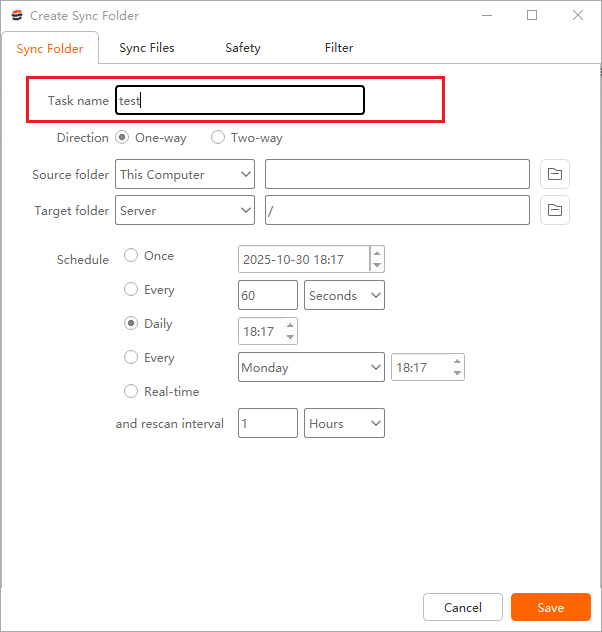
Fill in the sync task name in the sync setting box, such as "test".
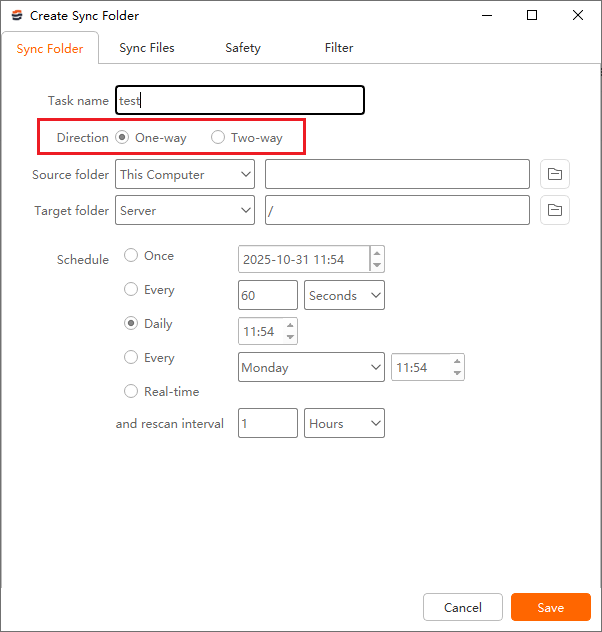
3. Choose the transfer direction:
-
One-way: Transfers files solely from the source path to the destination path; changes to the destination path will not be transferred to the source path.
-
Two-way: Uploads first, then downloads; files from the source path are transferred to the destination path, and files in the target path will also be transferred to the source path.
4. Select the source folder path to be synchronized.
Upload: The source path is this computer. Download: The source path is Server. Click the "Preview" button of the source path, select the folder you want to upload or download.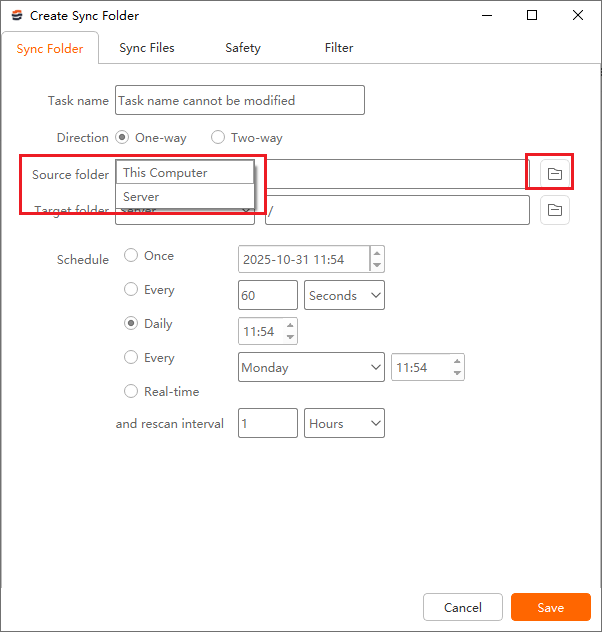
5. And then click the "Preview" button of the target path, select the directory you want to sync to.
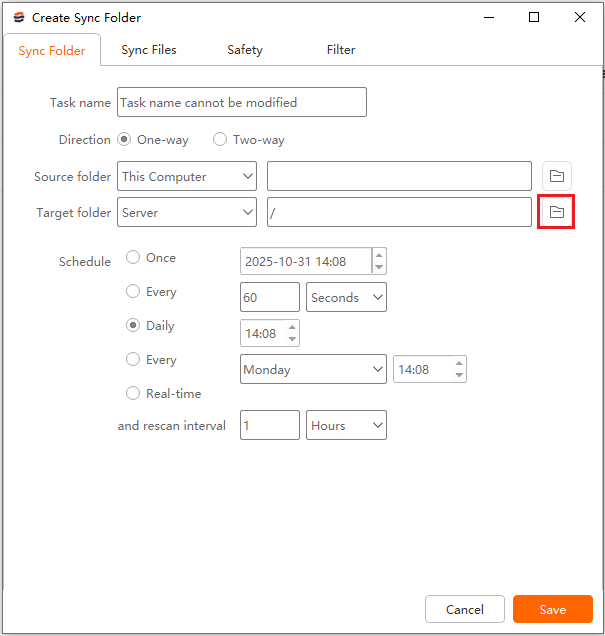
6. Then select the synchronization frequency
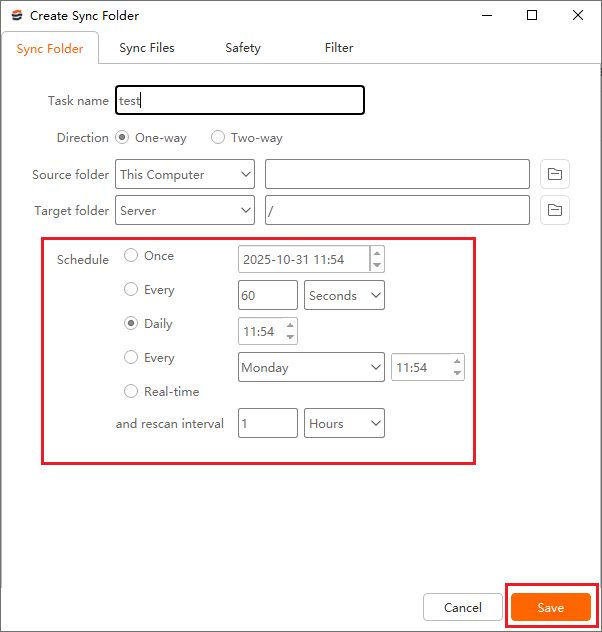
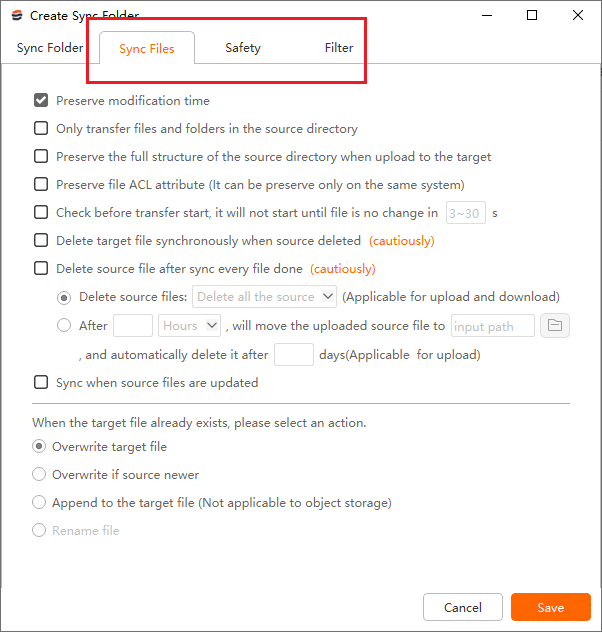
7. Other menu bars allow you to configure file processing, transfer encryption, and filtering.
8. Click to "Save" to create the sync task.
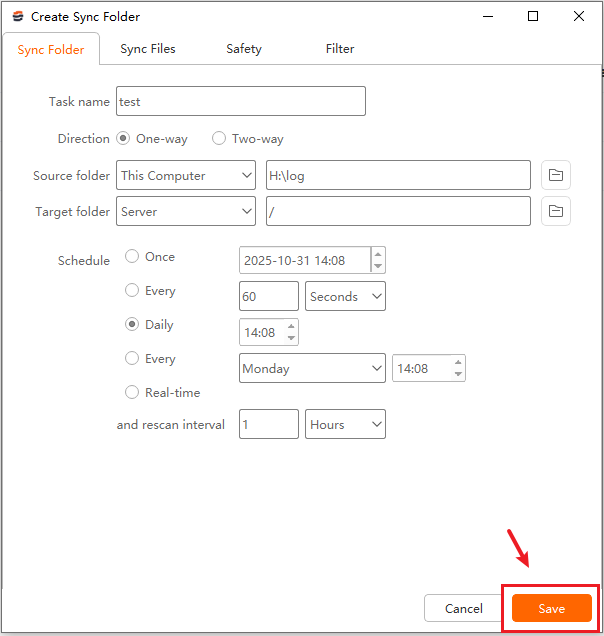
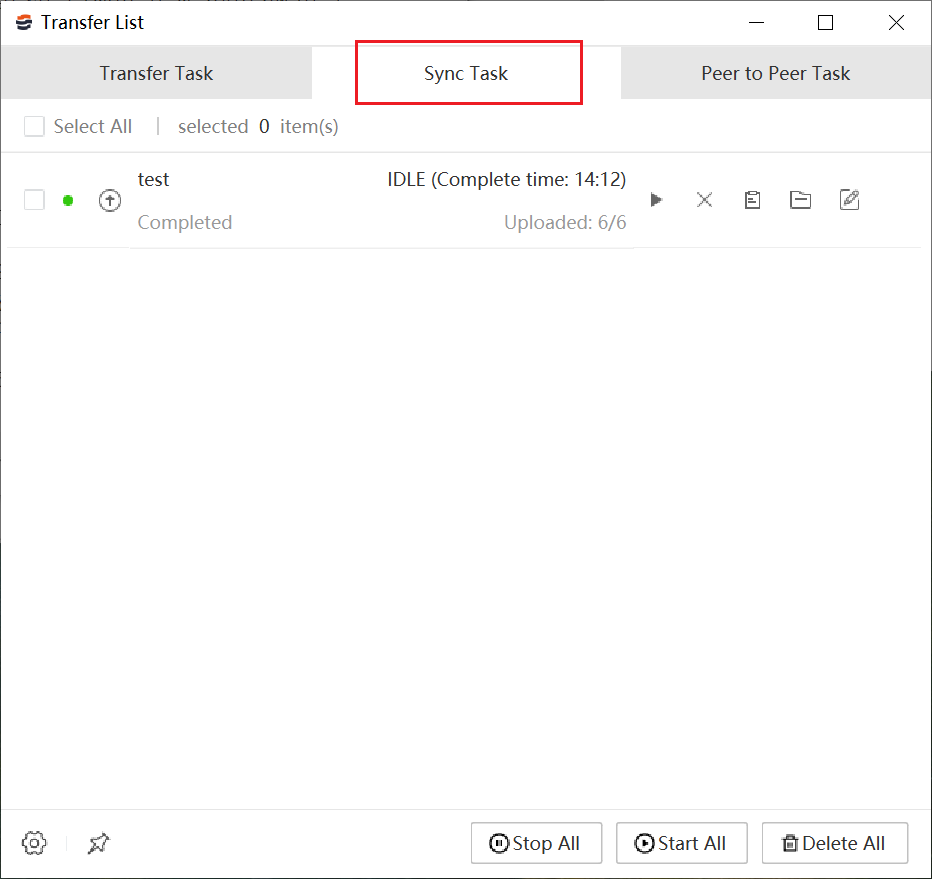
You could check the process of the sync task in "Transfer List" – "Sync Task" of the Client plugin. When the task reaches the synchronization time, your directory will be automatically transferred.
You might also like

Industry news
May 15, 2024Struggling with slow or insecure file transfers? Discover the best MFT vendors of 2025 to safeguard your data, automate workflows, and optimize file exchange!

Industry news
September 27, 2024Discover how FileCatalyst Transfer Agent accelerates file transfers over remote networks. Explore its key features, download process, and consider Raysync as a potential alternative.
![Where to Upload Large Video Files [Individual & Business]](http://images.ctfassets.net/iz0mtfla8bmk/6lxOulv7TVQxCBsvcd1IYl/909c11ed43e6860317dd84841bc8388a/where-to-upload-large-video-files.png)
Industry news
March 20, 2025Looking for where to upload large video files? Explore the best platforms for individuals and businesses, along with pricing and pros & cons.