Never Lose Sleep Over Backups Again: Automate Confidential File Protection with Raysync
December 24, 2025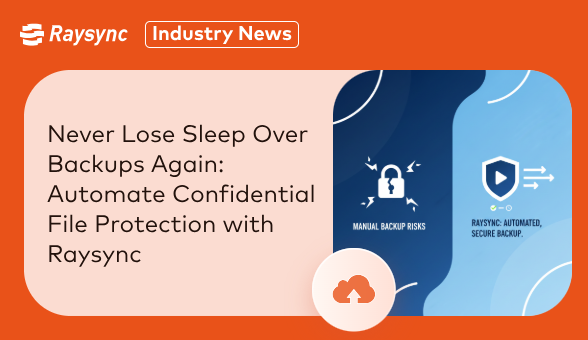
In the digital age, your most valuable asset isn't just your intellectual property or your financial records—it's the confidence that your confidential data is always safe, recoverable, and secure. Manual backup processes are not only inefficient and prone to human error, but they also create significant security gaps. Leaving critical data unprotected because someone forgot to click "run" is a risk no modern business can afford.
The challenge is clear: how do you automate the backup of sensitive files without introducing complexity or compromising security? The answer lies with Raysync.
The Pitfalls of Traditional Backup Methods
Relying on manual transfers or legacy tools for backup exposes your organization to immense danger:
-
The Human Element: Forgetfulness, misconfiguration, and employee turnover can lead to inconsistent backups, leaving huge gaps in your data protection strategy.
-
Security Vulnerabilities: Using standard protocols like FTP or unencrypted cloud storage for backups is like sending a secret document in a postcard—easily intercepted and read.
-
The Speed & Scale Problem: As data volumes grow, nightly backup windows vanish. Slow transfer speeds mean backups are never completed, rendering them useless when disaster strikes.
-
Lack of Accountability: Without detailed logs and audit trails, you cannot prove who moved what, when, or if the data remained untampered with—a critical failure for compliance.
Raysync: Automated, Intelligent, and Unbreakable Data Protection
Raysync is engineered to transform your backup strategy from a tedious chore into a seamless, secure, and automated pillar of your security framework. We go beyond simple transfer automation to deliver a comprehensive data governance solution.
1."Set-and-Forget" Automation
Eliminate human error and ensure absolute consistency. With Raysync, you can:
-
Schedule Backups: Automate the transfer of confidential files to your on-premise server, private cloud, or disaster recovery site on a daily, weekly, or custom schedule.
-
Trigger by Event: Initiate real-time backups based on folder changes (using rsync-like synchronization), ensuring the moment a file is created or modified, it's securely backed up.
-
Centralized Management: Control and monitor all automated backup tasks from a single, intuitive dashboard.
2. Security at the Core of Every Transfer
Your backups are only as secure as the method used to create them. Raysync ensures your data is protected end-to-end.
-
Military-Grade Encryption: All data is encrypted with AES-256 during transfer, making it unreadable to any unauthorized party.
-
Multi-Factor Authentication: Require MFA for all backup system access.
-
Integrity Verification: Every file is checksum-verified upon transfer completion. Raysync guarantees that your backup is a perfect, bit-for-bit replica of the original.
-
Tamper-Proof Audit Trails: Gain complete visibility with detailed logs that record every action—who initiated the backup, what was transferred, when it occurred, and from where.
3. Blazing-Fast Speeds for Uninterrupted Operations
Raysync’s proprietary acceleration protocol maximizes bandwidth utilization, transferring large volumes of data up to 50x-100x faster than conventional methods. This means your backup windows are shorter, network impact is minimized, and even the largest datasets—like financial models, 4K video projects, or genomic sequences—are backed up efficiently without disrupting daily business.
4. Unshakable Reliability You Can Trust
A failed backup is a false sense of security. Raysync is built for 99.9% reliability.
-
Breakpoint Resume: If a network interruption occurs, the transfer automatically resumes from the exact point it left off, ensuring no data is lost and no backup is left incomplete.
-
Automatic Failover: Configure redundant transfer paths to ensure your data always reaches its destination, no matter what.
Imagine a World Where Backups Just Happen
Picture your organization operating with the peace of mind that comes from knowing:
-
Every confidential client contract is automatically and securely duplicated to an off-site location the moment it's signed.
-
All critical R&D data is backed up in real-time without any manual intervention from your IT team.
-
You can instantly generate a compliance report proving your data protection measures for auditors.
This isn't a future state; it's the Raysync standard.
Stop Risking Your Critical Data
Automating your backups shouldn't mean compromising on security. With Raysync, you empower your business with a solution that is both effortlessly automated and fundamentally secure. Reclaim your time, fortify your data defenses, and build a resilient foundation for your business.
Stop relying on luck. Start automating with confidence.
Contact us today for a personalized demo and see how Raysync can automate your secure backup strategy.
You might also like
Industry news
July 9, 2024In this blog post we will look at the top 8 powerful FileZilla alternative for Windows, Mac, and Linux.
Industry news
July 25, 2024Facing issues connecting to your Google Cloud SFTP server? This guide equips you with the knowledge to diagnose and resolve common SFTP connection problems within Google Cloud.

Industry news
September 18, 2025Raysync unveils its revolutionary multi-channel parallel transfer technology, breaking the single-channel bottleneck. Achieve 8–10Gbps transfer speeds, 96%+ bandwidth utilization, and faster workflows for media, research, and cloud enterprises.