Nobody owns it until it breaks.
- ×A script on one engineer’s machine
- ×Failures found the next morning
- ×Access granted person by person
- ×Audit trail assembled by hand
Replace manual uploads and maintained scripts with workflows you configure once: automated, monitored, verified, and recorded.
Trusted by enterprises worldwide







MFTDefinition
MFT securely moves files between systems, users, storage, and external partners under centralized control, with automation, monitoring, and audit records.
01The category
A protocol moves bytes between hosts. MFT decides when it runs, who may run it, and what record it leaves.
| Dimension | FTP / SFTP | Managed File Transfer | EFSS |
|---|---|---|---|
| Automation | Scripted externally | Schedules, directory watches, custom events | Team and office sync jobs |
| Central control | Per-server configuration | One console for nodes, users, sessions, and tasks | Roles and sharing policies |
| Monitoring | Server logs, if enabled | Status, logs, statistics, and node monitoring | Portal and transfer activity |
| Audit trail | Assembled by hand | Transfer history plus user-operation logs | Sharing and operation records |
| Typical owner | Technical user | IT, operations, and security | IT and business teams |
02Automation
Every task is four decisions. Make them once and a manual handoff becomes a workflow you can document, hand over, and audit.
A server, NAS volume, cloud bucket, or partner endpoint.
One target or several, across mixed storage.
A schedule, a directory watch, or a custom event.
One-way to collect and distribute; two-way to converge.
Nightly archival, weekly extracts, and month-end distribution.
Starts when a folder changes, a render finishes, or a batch lands.
Follow an upstream signal instead of relying on manual handoffs.
Use one-way for authoritative sources and two-way when sites converge.
Hash and Rsync checks prove that the completed transfer is intact.
Route status and failures directly to the named task owner.
03Monitoring
See server health, user connections, transfer services, storage, and live resource usage from the same operational console.
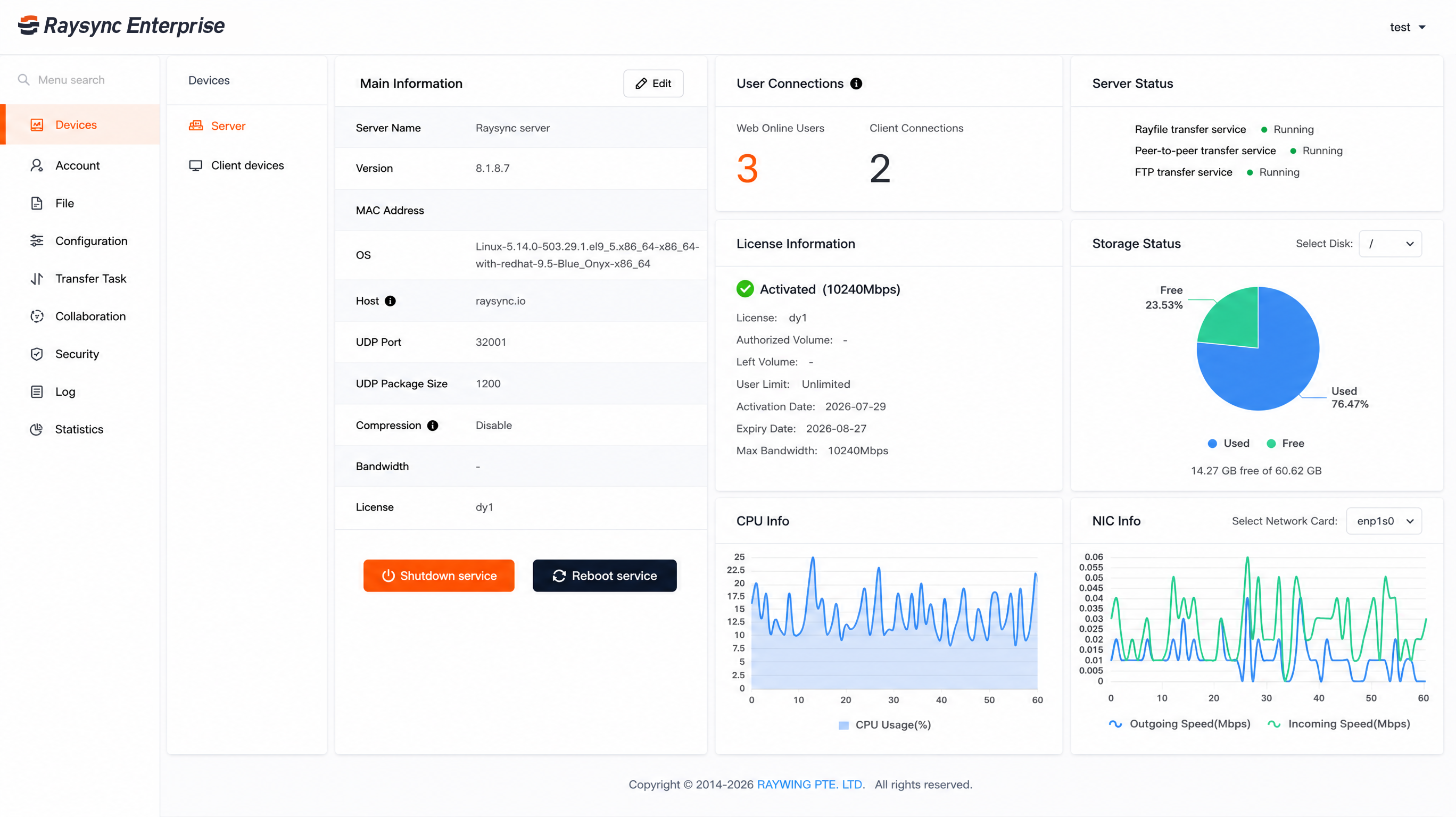
Start, pause, or edit tasks without rebuilding them.
Track status beside node bandwidth, CPU, memory, and disk.
Review transfer logs, operation records, file counts, and traffic.
Route status to owners when a run needs attention.
04Security
Layer identity, network, content, integrity, and audit controls around every recurring transfer.
Scope permissions to roles instead of granting them one by one.
Require a second factor when an account signs in.
Control which networks are permitted to reach sign-in.
Defend accounts against repeated credential guessing.
Apply threat scanning to uploaded content.
Confirm that what arrived exactly matches what was sent.
05Deployment
Deploy the control layer where your data already lives, with the identity and developer interfaces your teams already use.
06Applications
Built for workflows that repeat across sites, storage platforms, partner boundaries, and business systems.
Collect large operational datasets into central or cloud archives on a repeatable schedule.
Keep distributed offices, production sites, and storage locations aligned.
Govern inbound and outbound partner workflows without maintaining one-off scripts.
Move changed data to secondary infrastructure with verification on every run.
Use REST API, SDK, or CLI interfaces to place managed transfer inside a larger workflow.
07FAQ
MFT software moves files between systems, users, storage, and external partners under central control. Unlike a protocol, which carries one transfer, MFT manages the recurring workflow around it: scheduling, permissions, monitoring, and audit records.
FTP and SFTP are protocols that move a file through a connection. MFT governs repeatable workflows, adding automation triggers, role-based access control, monitoring, transfer history, and reporting.
Administrators create automatic data-sync tasks in the Raysync Admin Portal. Tasks run on a schedule, directory watch, or custom event, in one-way or two-way synchronization. Email notifications report status, while hash or Rsync verification confirms integrity.
No. Raysync synchronization runs from configured schedules, directory watches, or custom events. Confirm the exact trigger behavior and interval with the Raysync team for time-critical workflows.
Yes. Raysync deploys on-premises, in cloud environments, or hybrid, and supports local storage, cloud storage, and NAS or network storage as sources and destinations.
Controls include role-based access, two-factor authentication, IP allow and block lists, brute-force protection, upload antivirus scanning, file verification, and transfer and user-operation logs.
→Get started
Automate what repeats, monitor it from one console, verify every run, and keep the records your auditors ask for.
By continuing to use this site, you agree to the use of cookies.