The Function of Notification Sending Has Added to Raysync Enterprise 5.0.5.8 Version
November 12, 2020Raysync notification function adds two methonds:
1) Send notification to the webpage mailbox of the sub-user.
2) Send an email notification to the mailbox of the sub-user.
Details:
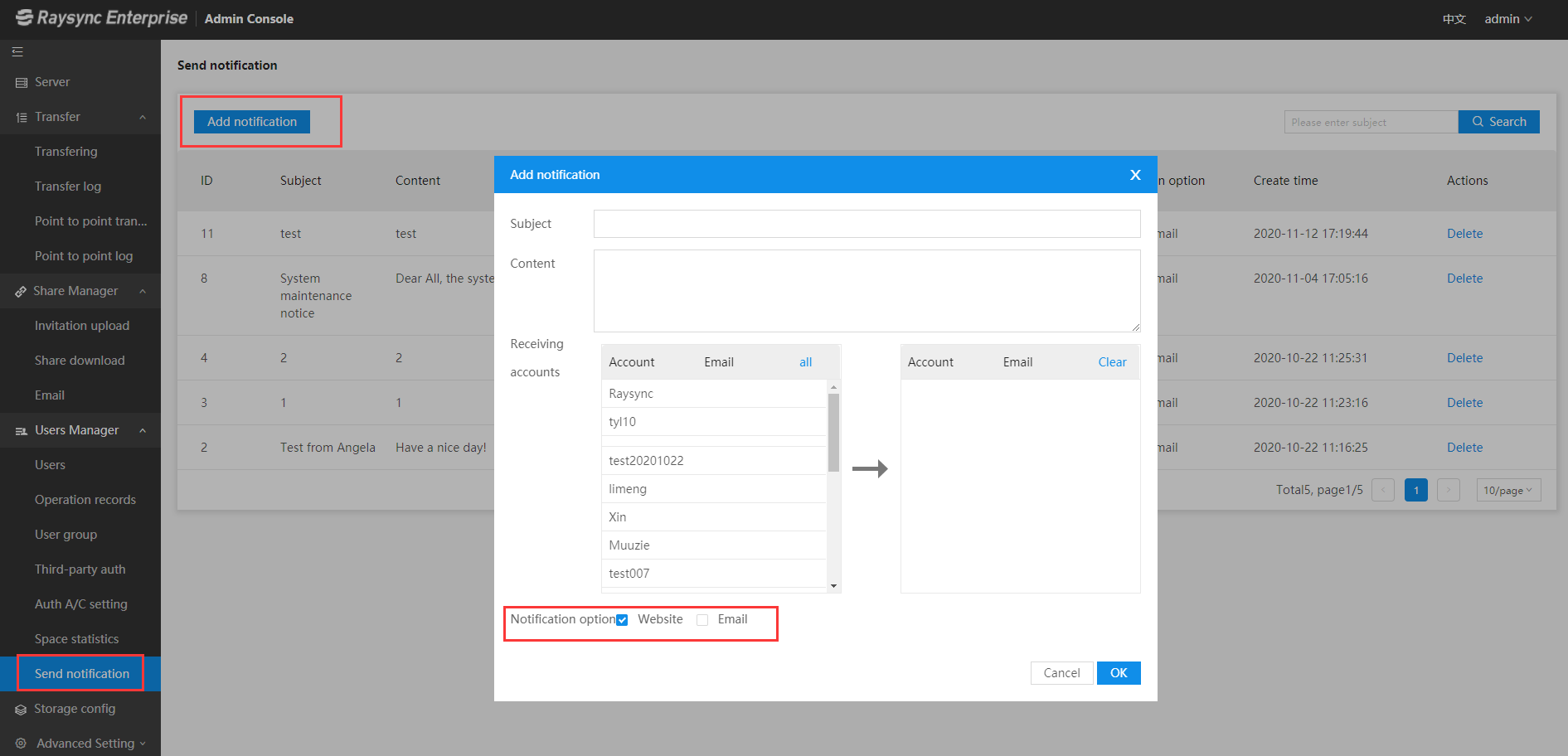
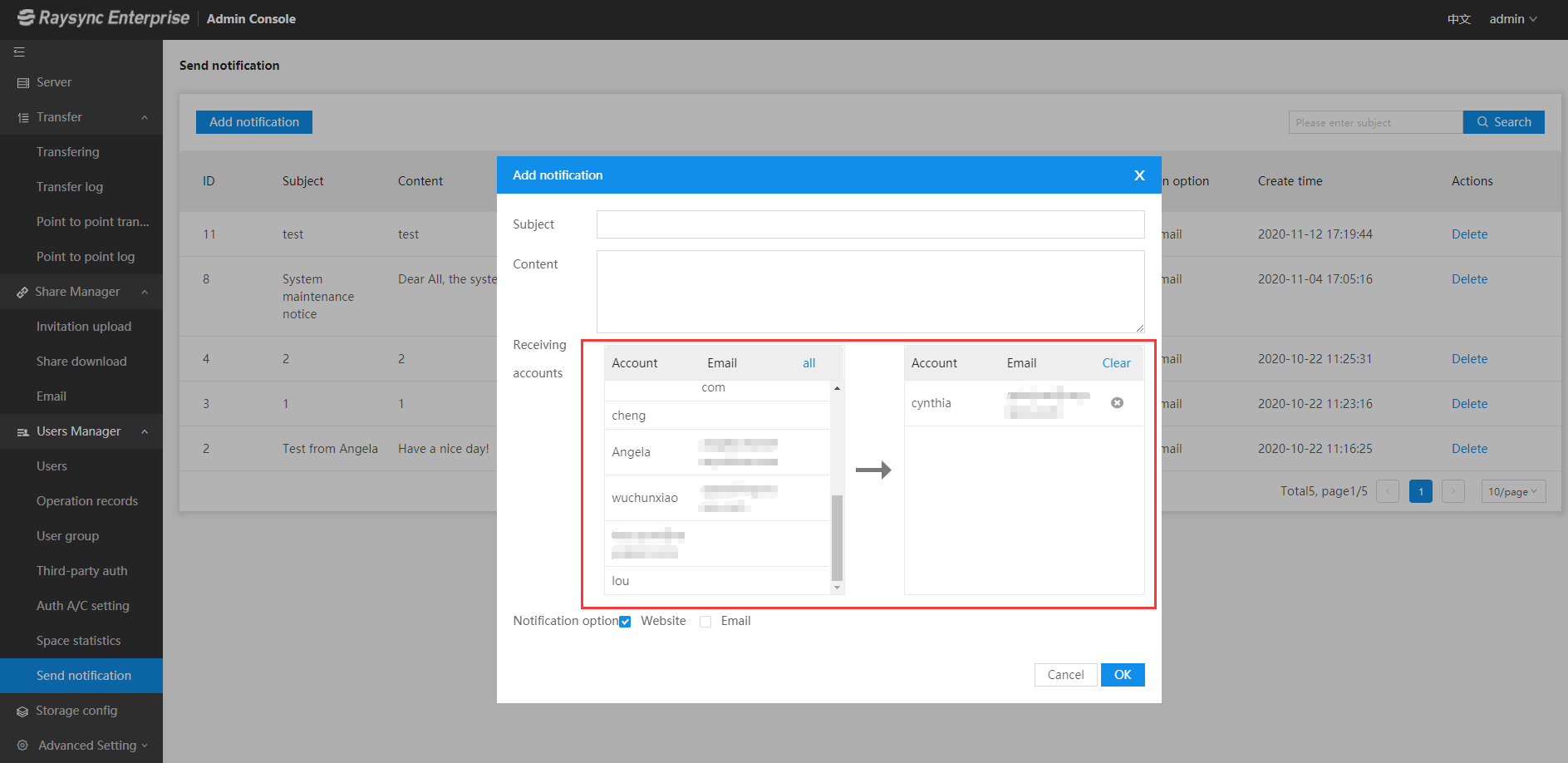
Log in to the Raysync admin portal-> Select "Send notification" under the option "Users Management"-> Click "Add notification" and edit the notification "Subject" and "Content"-> Select the "Receiving accounts"-> Check on the "Notification option" "Website" and "Email"-> Click "OK" to save all the settings.
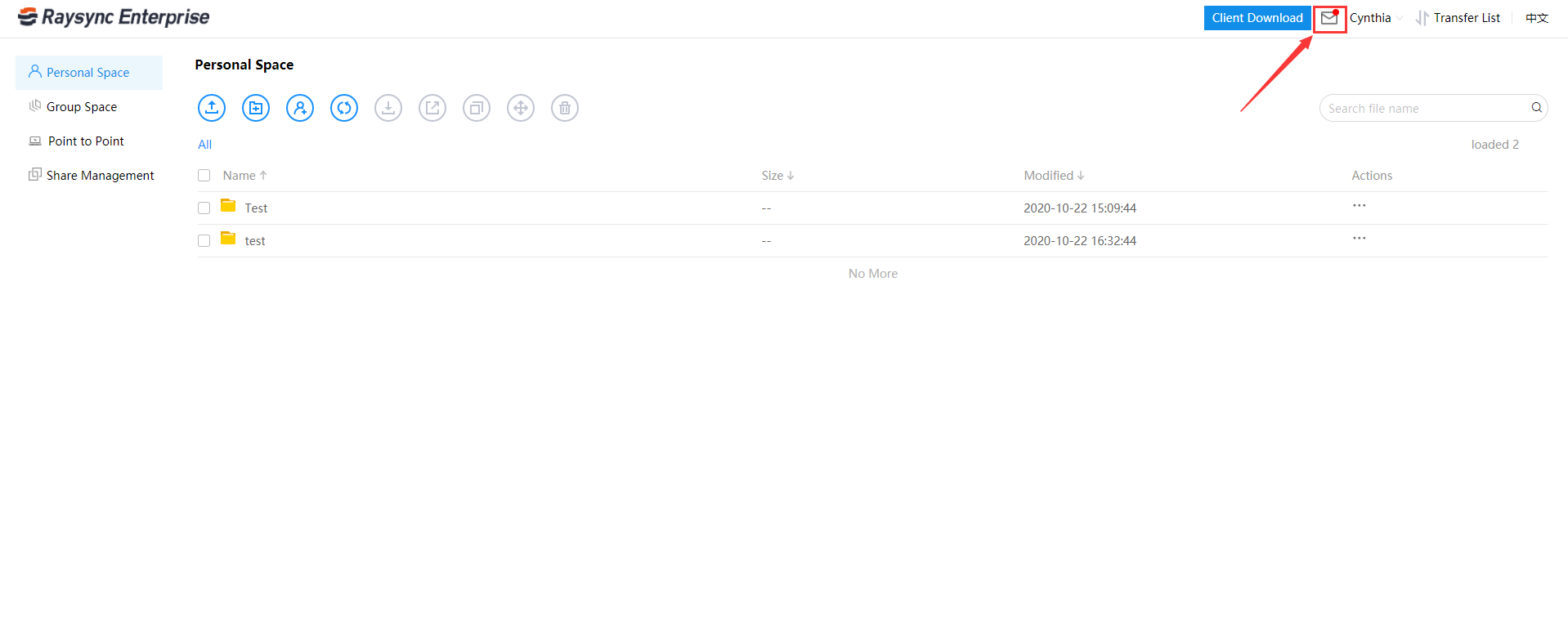
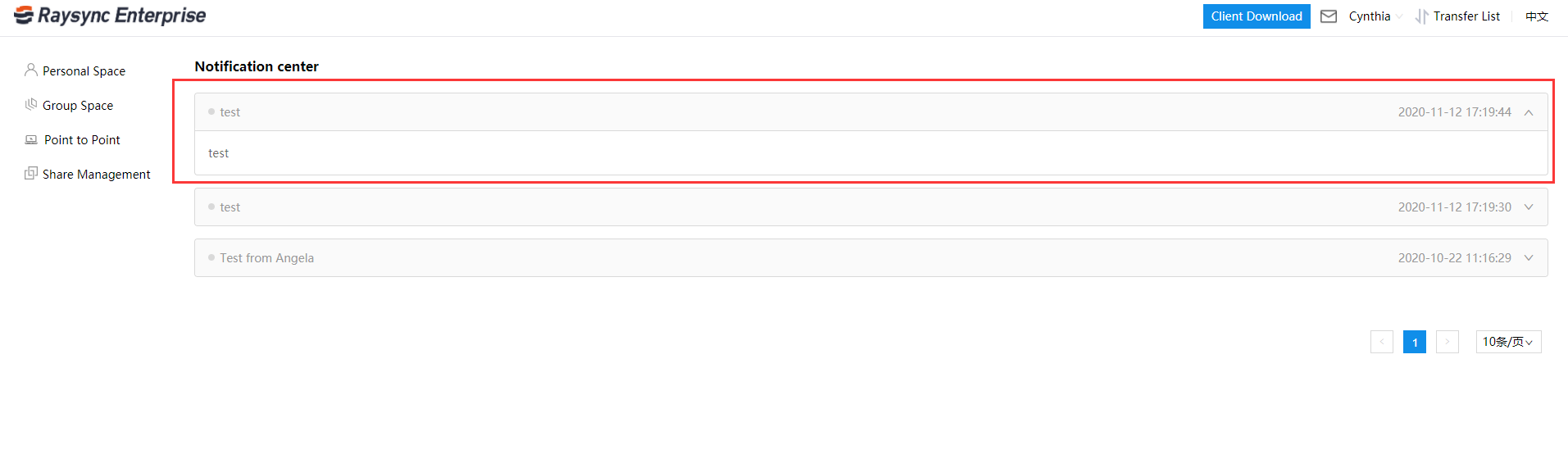
User receiving effect:
A Web-page
B Email
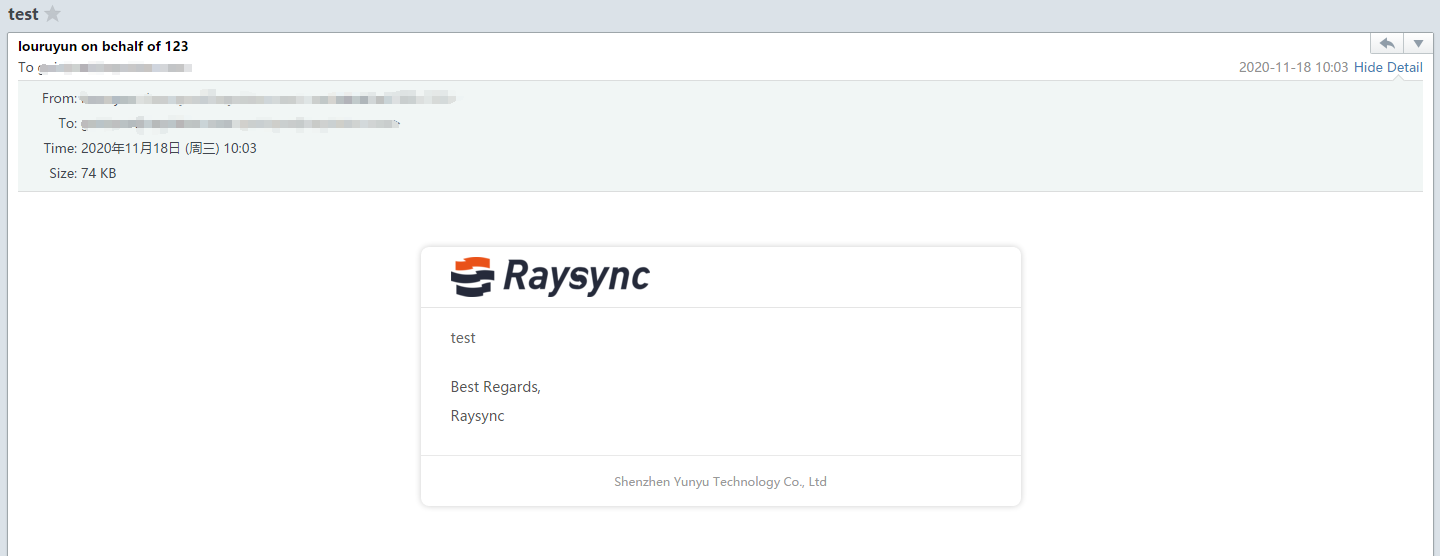
Note: Sender mailbox, mailbox display logo, and company name are configured by the administrator in the admin console.
You might also like
User Guide
January 27, 2021File synchronization software is used to store copies of on-premises data to another device or to the cloud. The files are typically available to be accessed via a Web-based portal.

User Guide
February 23, 2021Split a file into individual data blocks, and then store these blocks as separate data. Each piece of data has a different address, so there is no need to store them in a file structure.
User Guide
December 15, 2022The administrator can check the user who created the shared link, link share time, expired time, whether bind to the first device or not, and the device ID that binds as the first device.